Introduction
Rework doesn't announce itself. It compounds quietly — in missed inspections, stale spreadsheets, and finance reports that arrive three weeks after the damage is done.
According to the Construction Industry Institute, quality deviations causing rework, repair, or replacement averaged 12.4% of total installed project cost across industrial construction projects. For a $50M build, that's $6.2M at risk — before accounting for schedule delays and client relationship damage.
The underlying problem isn't craftsmanship. It's information lag. Most construction firms still rely on paper-based checklists, spreadsheet-compiled reports, and siloed data that creates dangerous gaps between when a quality issue occurs and when decision-makers actually find out.
This guide covers the main categories of automated tools for construction quality control reports, the features that separate useful platforms from expensive shelf-ware, and — why financial QC reporting is the most overlooked layer in most firms' quality programs.
Key Takeaways
- Rework averages 12.4% of total installed cost on industrial projects — automated QC reporting directly attacks this number
- Construction workers spend 35% of their time on non-productive tasks — manual report compilation is a primary culprit
- Automated QC tools fall into four categories: field inspection platforms, document control systems, AI plan-checking tools, and financial reporting dashboards
- Financial QC reporting (WIP accuracy, budget variance, margin trends) is where most firms have the largest blind spot
- Implementation starts with auditing your reporting gaps — firms that connect tools directly to their ERP eliminate the data lag that makes QC reports unreliable
What Are Construction Quality Control Reports — and Why Automate Them?
Construction quality control reports cover more ground than most people assume. The category includes:
- Field inspection records and material test results
- Non-conformance documentation and corrective action logs
- Punch list status and sign-off records
- Compliance documentation and permit records
- Financial performance reports — WIP schedules, job cost reports, budget variance analyses, cost-at-completion forecasts
That last category is where most firms have a gap. Financial reports are quality control mechanisms for project health — the same way physical inspections catch defects in workmanship before they become costly rework.
The Manual Reporting Problem
Autodesk and FMI research found that construction workers spend 35% of their time — over 14 hours per week — on non-productive activities including looking for project information, resolving conflicts, and dealing with mistakes. That time loss traces directly back to broken reporting infrastructure, not field performance.
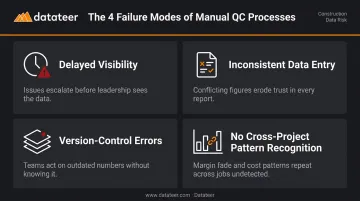
Manual QC processes create four specific failure modes:
- Delayed visibility — defects and budget overruns surface weeks after they occur
- Inconsistent data entry — field teams use different formats, terminology, and detail levels
- Version-control errors — teams working from different document revisions make conflicting decisions
- No cross-project pattern recognition — issues that repeat across jobs stay invisible in isolated spreadsheets
What Automation Actually Delivers
Automated QC reporting addresses each of these directly:
- Standardized data capture that eliminates transcription errors at the source
- Real-time visibility into project quality status — both field conditions and financial health
- Automatic audit trails for compliance and dispute resolution
- Cross-project analytics that surface recurring defect patterns before they compound across jobs
Types of Automated Tools for Construction Quality Control Reporting
Field Inspection and Digital Checklist Platforms
These are mobile-first platforms that replace paper checklists with customizable digital forms and auto-generate reports from completed inspection data. Platforms in this category include SafetyCulture (formerly iAuditor), GoAudits, Fieldwire, and Procore's QA/QC module.
The QC reporting value goes beyond convenience. These tools enable:
- Geo-tagged issue capture with photo evidence attached at the point of discovery
- Real-time notification workflows when non-conformances are logged — the right supervisor gets alerted immediately, not at next week's meeting
- Automatic audit trail creation that documents every inspection, finding, and resolution with timestamps
Field adoption is there. According to the 2025 AGC and Sage Construction Hiring and Business Outlook, **69% of firms use mobile software for daily field reports** and 46% use mobile technology for punch lists. The tools exist and teams are using them — the gap is in connecting field data to financial data.
Document Control and Compliance Tools
Platforms like Oracle Aconex and Autodesk BIM 360 / Autodesk Construction Cloud manage the version control and distribution of drawings, specifications, submittals, and compliance records. Their core QC function is preventing quality failures caused by teams working from outdated documents.
From a QC reporting perspective, these tools auto-log every document access, approval, and revision — creating defensible compliance records and ensuring inspection checklists always reference current specifications. The Autodesk/FMI research cited above found that poor project data and miscommunication drove 48% of U.S. construction rework and $31.3B in rework costs in 2018. Document control tools directly attack that source of waste.
AI-Powered Plan Checking and Coordination Tools
This is an emerging category worth tracking. Tools like InspectMind automatically scan construction drawings and specifications to detect coordination conflicts, code compliance issues, and spec-drawing mismatches — before construction begins.
The cost case for catching issues in design rather than the field is clear. The Navigant Construction Forum found that the average RFI review and response cost $1,080 and roughly 8 labor hours, with the average project generating 796 RFIs. Projects where coordination conflicts aren't caught pre-construction generate RFI volume that compounds across the schedule.
CII data reinforces this further: design changes, errors, and omissions accounted for 79% of quality-deviation costs and 9.5% of total installed project cost. AI plan-checking tools are a quality gate at the stage where fixing problems is cheapest.
Financial and Cost Quality Reporting Tools
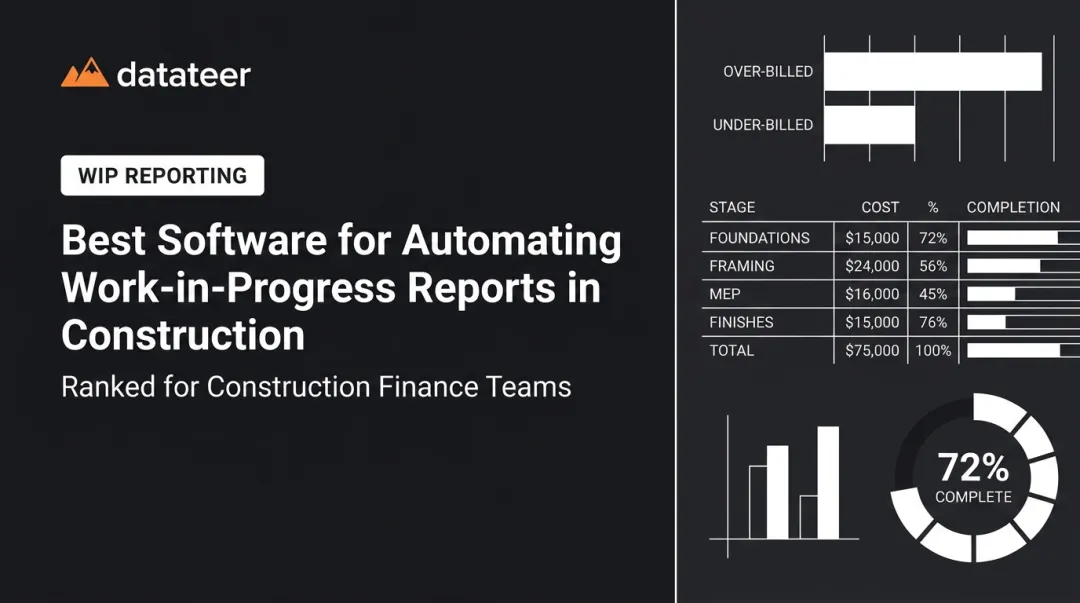
Financial reports — WIP schedules, job cost reports, budget variance analyses, cost-at-completion forecasts — are quality control mechanisms for project financial health. When these reports are inaccurate or delayed, firms lose the ability to intervene before margin fade becomes irreversible.
The automation gap here is significant. AGC and Sage reported that 51% of construction firms still rely on spreadsheets for accounting workflows. Spreadsheet-based WIP reporting creates multi-week reporting lags that leave leadership reviewing last month's project health while this month's problems compound.
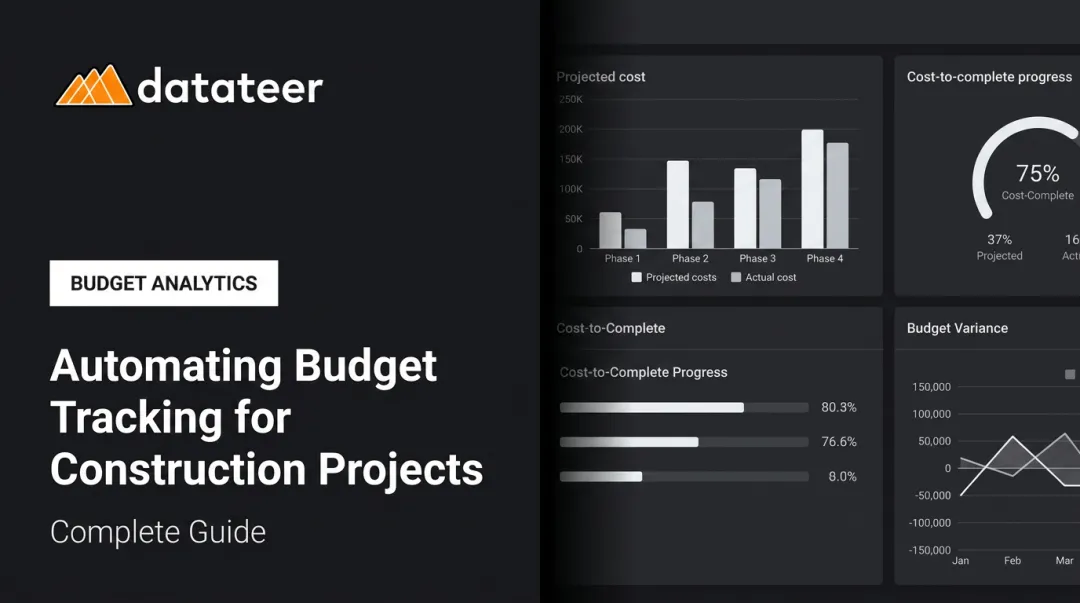
Platforms like Datateer address this directly — connecting to construction ERPs (Procore, Sage, Viewpoint, Acumatica, and others) to automate WIP schedules, job cost reports, and cost-at-completion forecasts without the manual extract-and-format cycle.
Key Features to Look for in Automated QC Reporting Tools
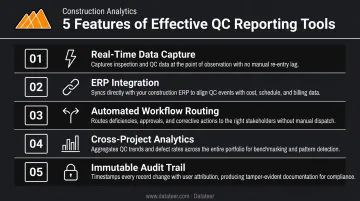
The right QC reporting platform saves time and surfaces problems early. The wrong one adds a layer of software without solving the underlying workflow gaps. These five features make the difference:
Real-time data capture and report generation — Reports generate immediately upon inspection completion, auto-populated with timestamps, inspector credentials, photos, and resolution status. Prioritize this above everything else.
ERP and software integration — Platforms that connect directly with your ERP (Sage, Viewpoint Vista, Acumatica, CMiC, Foundation, Jonas, QuickBooks) keep quality data aligned with your financial and project records, rather than living in a separate silo.
Automated workflow and non-conformance routing — Configurable workflows route identified issues to the responsible party automatically, with deadline tracking and escalation triggers that prevent problems from stalling in someone's inbox.
Cross-project analytics and dashboards — Aggregating data across multiple projects lets you spot recurring defect patterns, underperforming subcontractors, or cost codes where quality issues cluster — before they compound.
Immutable audit trail — Every inspection, approval, and correction should be logged automatically and locked from editing. This protects you in regulatory reviews, client disputes, and contract close-outs.
Financial Quality Control Reporting: The Layer Most Construction Firms Miss
A failed weld inspection catches a physical defect before it becomes a structural failure. A WIP report that flags over-billing, margin erosion, or cost-code misallocation catches a financial defect before it becomes a cash flow crisis.
The problem is that most firms treat financial reporting as a backward-looking accounting task. The CFMA notes that underbillings tend to turn into margin fade and potential job losses when contractors don't watch WIP closely — and CFMA also identifies the WIP schedule as a window into current and projected job profitability, cash flow, and backlog. That's not a backward-looking accounting exercise. That's a forward-looking quality control function.
The Manual WIP Problem in Practice
With 51% of firms still running spreadsheet-based accounting workflows, the typical WIP process looks like this: CSV exports from the ERP, VLOOKUP-based reconciliation, manual formula maintenance, and email distribution to leadership — often 2-3 weeks after the reporting period ends. By the time leadership reviews the numbers, the projects in question have moved on.
Sage notes that spreadsheet-based WIP is "only as reliable as the formulas created by users" — meaning one broken formula or misallocated cost code can quietly distort the entire picture. Double L Management's Business Analyst described the before-state this way: their first access to Datateer's automated dashboards meant "that one click replaced two weeks worth of prior work."
What Automated Financial QC Looks Like
Datateer is built specifically for this problem. The platform connects directly to 12+ construction ERPs — including Procore, Sage 100/300/Intacct, Viewpoint Vista, Viewpoint Spectrum, Acumatica Construction, Foundation Software, CMiC, Jonas Construction, QuickBooks, and NetSuite — and delivers automated WIP reports, over/under-billing positions, and margin fade detection without manual spreadsheet compilation.
Specific metrics surfaced per job include:
- Percentage complete and earned revenue
- Billed revenue vs. costs in excess of billings
- Billings in excess of costs
- Projected margin with real-time fade detection
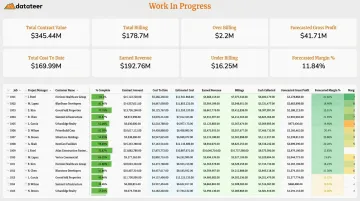
The platform flags margin fade before month-end close locks in the numbers, so CFOs and project managers can intervene while there's still time to act.
Data syncs overnight by default, with more frequent updates configurable as needed. Pricing starts at $10,000/year per data source, with unlimited users and no per-seat fees.
How to Implement Automated QC Reporting at Your Construction Firm
Step 1 — Audit Your Current Reporting Gaps
Before selecting any tool, map where your QC data currently lives: paper forms, email threads, spreadsheets, or your ERP. Identify where the longest delays occur and which quality failures — field defects, cost overruns, compliance gaps — are most costly.
This gap analysis determines which tool category to prioritize first. Datateer's free 60-second Construction Data Maturity Audit is worth running before this step — it surfaces where your data sits on the path from manual reporting to predictive analytics, and gives you a concrete starting point.
Step 2 — Select Tools Aligned to Your ERP and Project Type
The best QC reporting tool is one that integrates with systems your teams already use. For field teams, prioritize inspection platforms with mobile-offline capability. For finance teams, prioritize reporting tools with direct ERP connectors that eliminate manual data extraction.
Mixing too many disconnected tools creates new integration headaches. Your field inspection platform and your financial reporting tool should both connect to the same ERP — not to each other through a patchwork of manual exports.
Step 3 — Standardize Workflows and Invest in Adoption
Automation only delivers value if teams consistently use it. The technical side typically takes 2–4 weeks. Sustained adoption takes longer — and depends on getting these four things right:
- Establish standard inspection cadences and define what triggers a non-conformance report
- Configure automated report distribution so the right stakeholders get data without asking for it
- Train field and office teams on why the data they capture matters — not just which buttons to press
- Build accountability into the process with cross-project dashboards that make performance visible at the portfolio level
When field supervisors, project managers, and finance teams all pull from the same data source, QC stops being a compliance checkbox and starts informing project decisions in real time — which is where the financial impact actually shows up.
Frequently Asked Questions
What are the automation tools in construction?
Construction automation tools span five main categories:
- Field inspection apps: SafetyCulture, GoAudits, Fieldwire
- Document control platforms: Aconex, BIM 360
- AI plan-checking tools: InspectMind
- Financial reporting dashboards: Datateer
- Project management systems: Procore
The most effective implementations combine tools across these categories, connected to a central ERP.
What are the 7 tools of quality control?
The classic seven QC tools defined by ASQ are: cause-and-effect diagram, check sheet, control chart, histogram, Pareto chart, scatter diagram, and stratification. Modern automated QC software embeds these analytical approaches directly into digital reporting dashboards, making them accessible without specialized statistical training.
What should a construction quality control report include?
A complete QC report should cover:
- Inspection date, location, and inspector credentials
- Items inspected against acceptance criteria
- Pass/fail status with photographic evidence
- Non-conformance descriptions with root cause notes
- Corrective actions with deadlines and responsible parties
- Sign-off records
Automated platforms capture all of this at the point of inspection.
How do automated tools reduce errors in construction quality control reports?
Automation removes manual data transcription, the primary source of error, and enforces standardized data fields, acceptance criteria, and timestamps. Reports generate directly from captured data, eliminating the copy-paste and formula errors endemic to spreadsheet-based reporting.
How do construction quality control reporting tools integrate with ERP systems?
The best tools use direct API connections or native integrations with construction ERPs to pull cost codes, project data, and financial metrics automatically. This eliminates duplicate data entry and ensures QC reports reflect current project status rather than manually exported snapshots from days or weeks ago.
What is the difference between QA and QC in construction?
QA (quality assurance) is proactive — it establishes the processes, standards, and systems designed to prevent defects. QC (quality control) is reactive — it inspects and verifies completed work against specifications. Automated tools support both: standardizing QA workflows and accelerating QC reporting cycles.