These problems are not a sign that your firm is doing something wrong. They follow predictable patterns — implementation gaps, process misalignment, and the sheer complexity of construction finance. Most can be fixed without replacing the system.
This article covers the four most common construction ERP failure patterns, their root causes, practical workarounds, and a clear framework for deciding when to fix, when to supplement, and when replacement actually makes sense.
Key Takeaways
- Most construction ERP problems fall into four categories: reporting delays, field-to-office disconnects, integration failures, and system misconfiguration
- 51% of construction firms still run spreadsheets alongside their ERP, per JBKnowledge's Construction Technology Report — making the Excel workaround one of the costliest ERP problems in the industry
- Most issues are fixable without replacing the ERP — the right fix depends on whether the root cause is technical, configurational, or behavioral
- Replace your ERP only when its core architecture lacks native construction modules like job costing, WIP, and retainage billing — not because reports are slow
- When ERP data is solid but reporting is broken, a purpose-built analytics layer closes the gap faster and cheaper than a full system overhaul
Common Construction ERP Problems
Construction ERP problems tend to follow predictable patterns — the same four failure modes show up across firms of every size. Spotting which one you're dealing with cuts the time to a fix considerably.
Problem 1: Delayed and Inaccurate Financial Reporting
Symptoms:
- Finance team spends weeks reconciling data before leadership gets numbers
- WIP reports require manual extraction, CSV exports, and VLOOKUP marathons
- Margin fade is discovered only after a project closes
Likely cause: The ERP lacks pre-built construction reporting templates, forcing manual extraction and formatting. Or data is entered inconsistently across jobs, making automated reports unreliable from the start.
The CFMA recommends monitoring WIP-related KPIs — including margin fade, job borrow, and days cash on hand — daily or weekly. Most construction finance teams aren't close to that cadence.
Problem 2: Disconnected Field-to-Office Data
Symptoms:
- Job cost data in the system doesn't match what project managers see on-site
- Labor and equipment entries arrive days late
- Field teams bypass the ERP entirely and use paper or separate apps
Likely cause: Poor mobile accessibility, insufficient field training, or an ERP built for back-office workflows without accounting for on-site data capture.
The scale of that gap is measurable. According to PlanGrid and FMI research, construction professionals spend 35% of their time — roughly 14.1 hours per week — on non-optimal activities, much of it driven by disconnected project data.
Problem 3: Integration Failures with Other Systems
Symptoms:
- Payroll data doesn't flow into job cost reports
- Subcontractor billing requires manual re-entry
- Data from Procore, estimating tools, or timekeeping apps doesn't sync reliably
Likely cause: Third-party integrations were configured during implementation but never stress-tested under live conditions — so the breakdowns only surface once real data starts flowing.
JBKnowledge found 27% of construction firms reported none of their apps integrate. When those integrations fail, 49% manually transfer data and 44% fall back to spreadsheets.
Problem 4: System Misconfiguration for Construction Workflows
Symptoms:
- The ERP cannot produce a proper Schedule of Values
- Change orders require manual workarounds
- Cost codes aren't standardized across jobs
- Retainage and billing rules don't match contract terms
Likely cause: A generic ERP was selected without construction-specific modules, or the implementation team didn't map construction workflows before configuring the system.
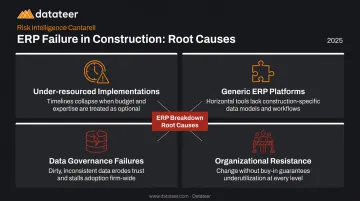
Why Construction ERPs Break Down: Root Causes
ERP problems don't emerge randomly — they build from a small number of root causes that compound over time. Patching symptoms without addressing roots leads to the same failures recurring.
The four root cause categories:
- Under-resourced implementations — rushed go-lives that skipped requirements mapping and workflow documentation
- Generic ERP platforms stretched beyond their construction capabilities, lacking native job costing, WIP, or retainage modules
- Data governance failures — inconsistent cost code entry or field bypass that corrupts reporting at the source
- Organizational resistance — field and project teams who never fully adopted the system, either from insufficient training or poor fit with their actual workflows
The consequences compound fast. Left unaddressed, these root causes produce predictable damage:
- Margin fade goes undetected until it's too late to recover a project
- Payroll inaccuracies create compliance exposure across multiple cost codes
- Spreadsheet workarounds become load-bearing infrastructure — harder to dismantle the longer they persist
Construction ERP Fixes and Workarounds by Problem Type
The right fix depends entirely on what category the root cause falls into. Expensive reconfiguration won't solve a user adoption problem, and retraining users won't fix a broken API.
Fix 1: Reporting and Financial Visibility Gaps
Near-term: Establish a standardized data pull schedule from the ERP into a controlled template. Enforce consistent cost code use so even manual reports are reconcilable across jobs.
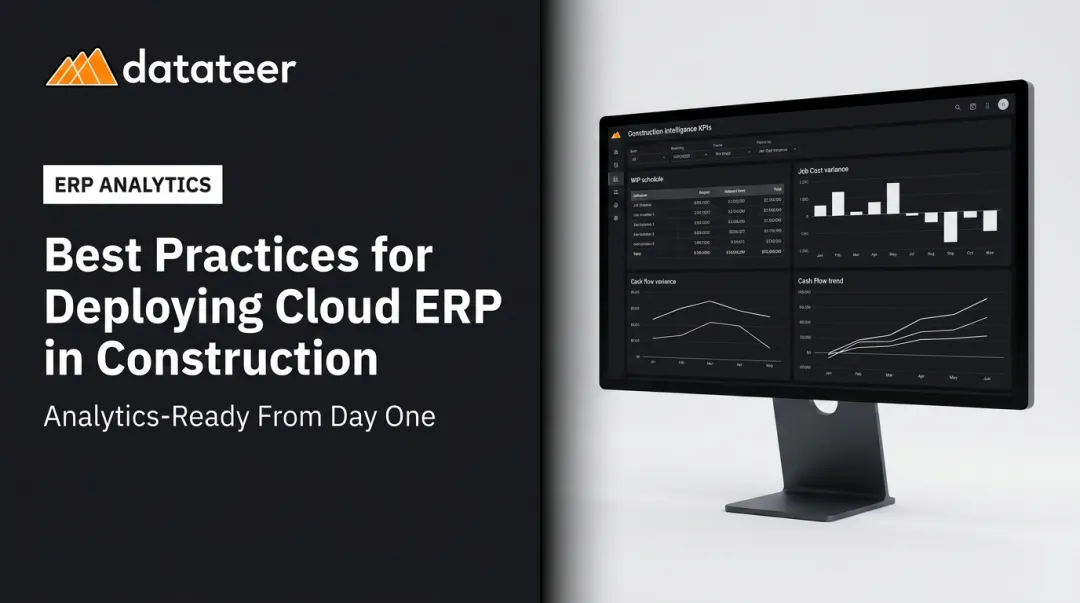
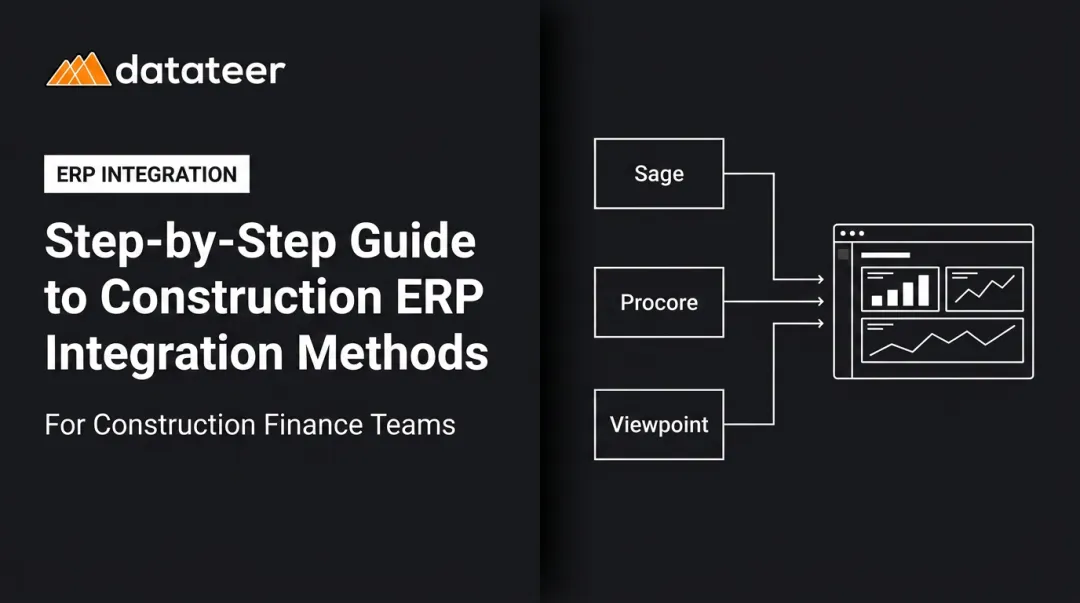
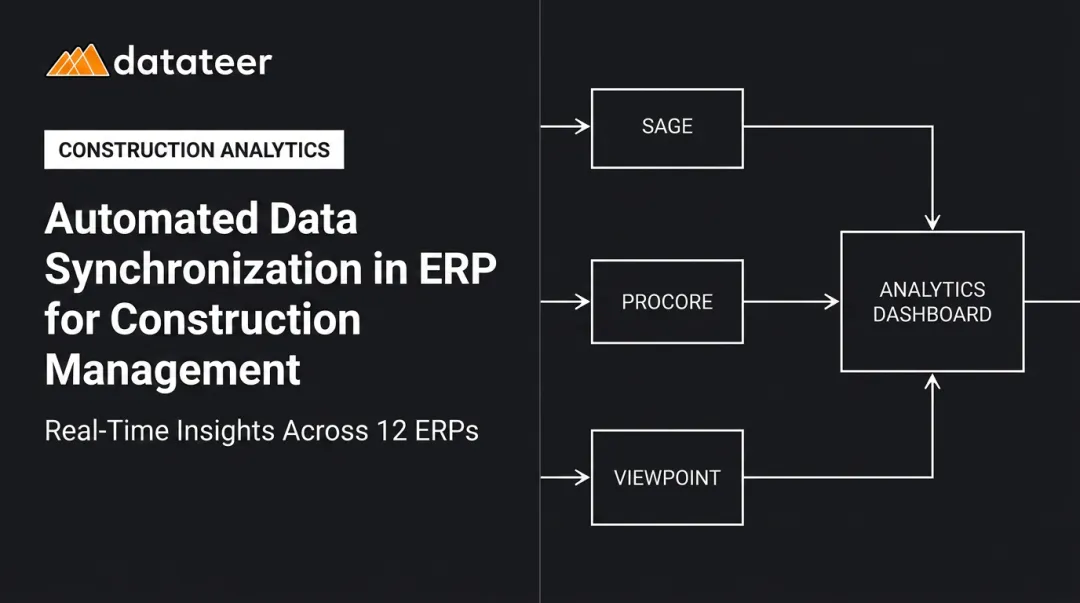
Long-term: Implement a direct ERP-to-dashboard integration that automates data extraction, standardizes cost codes, and produces real-time WIP reports without manual steps. Datateer connects directly to 12+ construction ERPs — including Sage 100/300/Intacct, Procore, Viewpoint Vista, Viewpoint Spectrum, Acumatica Construction, Foundation Software, CMiC, and Jonas Construction — replacing manual WIP cycles with automated overnight syncing and dashboards that refresh in minutes.
The results are immediate. A business analyst at Double L Management put it plainly: "The very first time we accessed our data through a Datateer analytics dashboard, that one click replaced two weeks worth of prior work."
Fix 2: Field-to-Office Disconnects
Near-term: Set a daily data entry cutoff — field supervisors enter time, materials, and equipment data before end-of-shift. Use whatever mobile-friendly entry the ERP supports, even if limited.
Long-term: Audit field user workflows and reconfigure the ERP's mobile or field access module to match actual on-site habits. If mobile capability is absent, evaluate a dedicated field app that integrates directly into the ERP rather than running parallel to it.
Fix 3: Integration Failures
Near-term: Assign one person to own the integration — monitoring sync logs, catching failures early, and manually bridging gaps while a stable fix is scoped.
Long-term: Rebuild integration connections using the ERP vendor's current API documentation. Start with ERP-to-payroll and ERP-to-subcontractor billing flows. These carry the highest financial exposure when broken. Then document every integration touchpoint — so the next failure gets isolated in minutes, not discovered through a bad report.
Fix 4: System Misconfiguration
Near-term: Identify the two or three highest-pain configuration gaps — usually the change order workflow and cost code structure — and build manual bridge processes for just those areas while a deeper reconfiguration is scoped.
Long-term: Engage a construction ERP implementation consultant (not the vendor's support team) to re-map actual workflows against the current configuration. Reconfiguring an existing system costs a fraction of replacement — and goes live far faster.
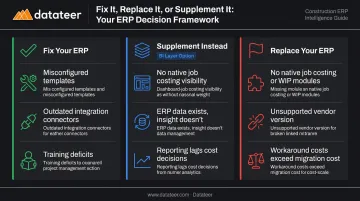
When to Fix vs. When to Replace Your Construction ERP
This decision is a cost, risk, and capability question. Most firms default to replacement too quickly when the actual problem is fixable — while others hold onto a fundamentally broken system because switching feels overwhelming.
Fix when:
The core data model and construction modules are sound but reporting, integrations, or field adoption are the failure point:
- Reporting gaps stem from misconfigured templates or missing cost code mappings
- Integration failures trace back to outdated connectors, not the ERP's data architecture
- Low user adoption reflects training deficits or workflow design, not platform limitations
These are configuration and process problems — not platform problems. All three are solvable without touching the ERP itself.
Replace when:
- The platform is a generic ERP with no native job costing, WIP, retainage, or subcontractor billing architecture
- The vendor no longer supports the version in use and has no construction-specific roadmap
- The total cost of maintaining workarounds — staff hours, Excel labor, delayed decisions — exceeds the cost of migration
Full ERP replacement in construction is a major operational undertaking: migration, retraining, integration rebuilds, and business disruption across the project lifecycle. Replace when the platform structurally can't support construction workflows. Don't replace when the real problem is a configuration issue your team can fix in weeks.
The third option: supplement instead of replace
When the ERP's data capture is solid but its reporting and analytics layer is the weak point, adding a construction-specific BI tool on top of the existing ERP delivers the visibility you're missing — without a migration project.
Datateer connects to your existing ERP and goes live with pre-built construction dashboards in 2–4 weeks — versus the 12–18 months typical of a full ERP replacement or a ground-up BI build.
Pricing starts at $10,000/year per data source with no per-seat or per-dashboard fees. The annual fee doesn't start until data is actively flowing. For most firms, that's a fraction of what a replacement project costs in consulting fees alone — before accounting for retraining and disruption.
How to Prevent Construction ERP Problems from Recurring
Most ERP problems that resurface do so because the root cause was patched rather than eliminated — and because no governance structure was in place to catch early warning signs.
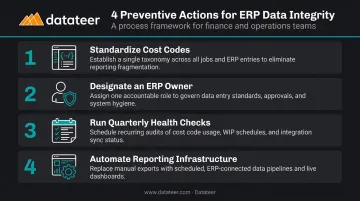
Four core preventive actions:
Standardize cost codes across all job types with documented rules enforced consistently across field and office teams. Cost codes are the foundation of every financial comparison between estimated and actual costs.
Designate an internal ERP owner responsible for monitoring data integrity, integration health, and user adoption on an ongoing basis — not just at go-live. JBKnowledge found that in most construction firms, IT leadership falls under the CFO or CEO.
Run quarterly ERP health checks covering reporting accuracy, field data entry compliance, and integration sync logs — before problems escalate into bad numbers reaching leadership.
Replace manual reporting workarounds with automated infrastructure. The spreadsheet you build today to patch a reporting gap becomes the one someone else inherits next year — with broken formulas and no documentation.
Firms that maintain clean ERP data can identify labor slippage, budget overruns, and liquidity risks as they develop — shifting finance from forensic accounting after the fact to proactive project control. That shift requires clean data flowing automatically from the ERP into reporting tools your leadership can act on. Datateer's construction analytics platform syncs overnight with all major construction ERPs, standardizes cost codes automatically, and delivers pre-built dashboards on day one — so nothing gets lost between the field and the executive suite.
Conclusion
The majority of construction ERP problems are predictable, diagnosable, and fixable. The key is identifying whether the failure lives in data quality, system configuration, integration, or user behavior before reaching for a replacement.
Replacing an ERP is almost never the right first move. A targeted fix — or adding a specialized analytics layer like Datateer to bridge reporting gaps with pre-built dashboards synced directly to your existing ERP — delivers faster results at lower cost and risk. Nail down the root cause first. The fix usually follows quickly from there.
Frequently Asked Questions
How can I prevent and resolve construction ERP implementation issues?
Thorough pre-implementation requirements mapping is the single most important step; skipping it is the most common reason ERPs end up misconfigured for construction workflows. Assign a dedicated internal ERP owner from day one, and build phased user training that extends well past go-live.
Why is my construction ERP reporting always delayed or inaccurate?
Reporting delays trace back to one of two root causes: inconsistent cost code entry that makes automated reports unreliable, or an ERP without native construction reporting templates that forces manual extraction into Excel.
What are the most common construction ERP problems and how do you fix them?
The four most common issues are reporting lags, field-to-office disconnects, integration failures, and system misconfiguration. Each requires a targeted fix: analytics tooling, workflow reconfiguration, API rebuilds, or process changes.
How do you fix data silos between field and office in a construction ERP?
Field-office data silos typically stem from inadequate mobile access or poor field user training. Reconfigure the ERP's field data capture workflow to match on-site habits, enforce a daily entry discipline, and assign a field supervisor who is accountable for data completeness before end-of-shift.
When should a construction company replace its ERP vs. fix it?
Replace when the ERP lacks native construction modules (job costing, WIP reporting, retainage billing) and no configuration or add-on can replicate that functionality. Slow reports and undertrained users are fixable problems, not replacement triggers.
Can I improve my ERP's financial reporting without replacing the entire system?
Yes. When the ERP's underlying data is sound, adding a purpose-built construction analytics layer that integrates directly with the ERP can produce real-time WIP reports, job cost dashboards, and cash flow visibility — without the cost or disruption of a full system replacement.